

AI Chat Commerce Takes Shipping Questions Off Your Support Team
Shoppers get live courier rates and order status in WhatsApp when your chat calls a shipping API. Here is the setup and what to measure.
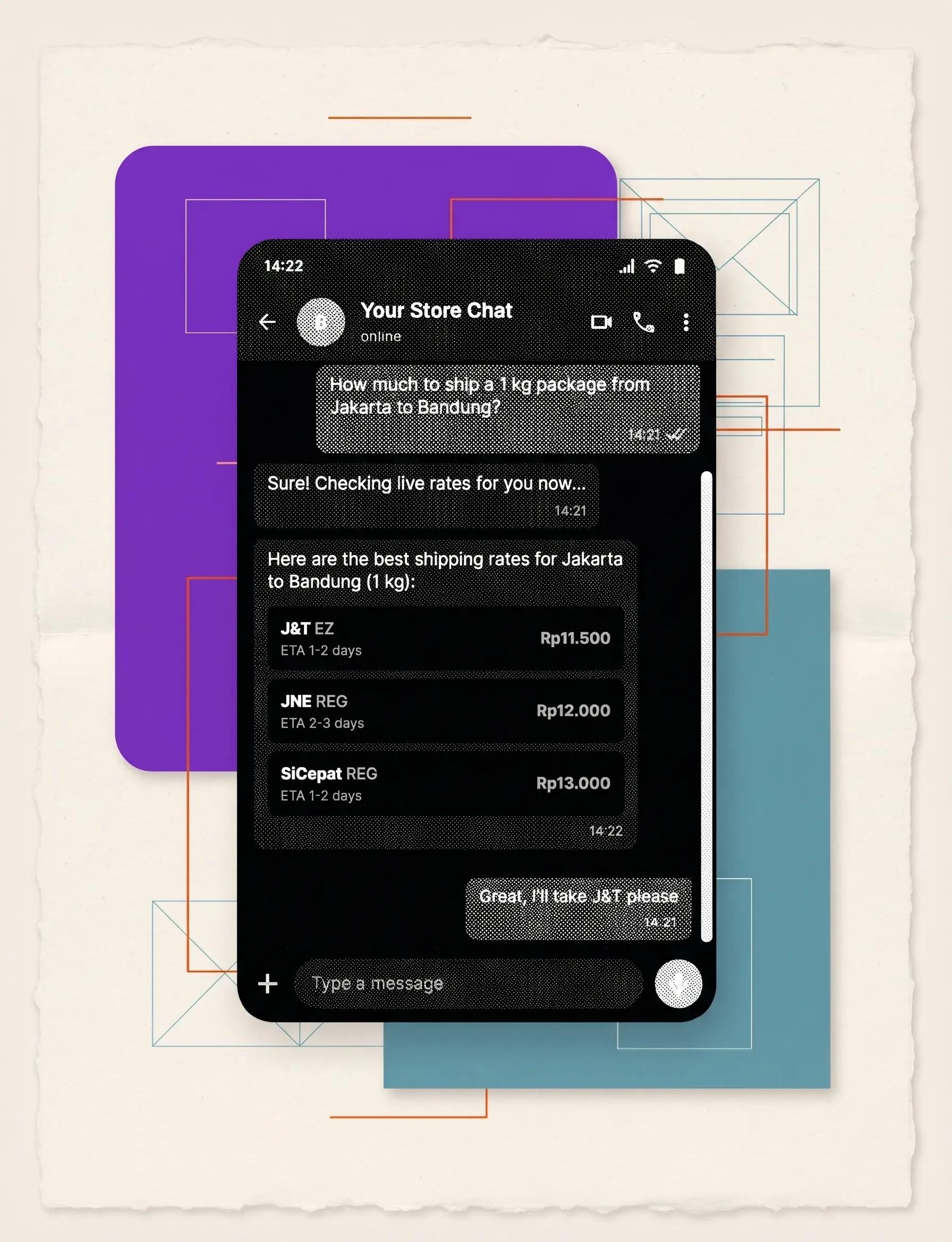
AI chat commerce lets shoppers check courier rates and track orders inside WhatsApp by connecting your chat to a shipping API, so answers arrive in seconds without an agent. In Indonesia, WhatsApp is where buyers already ask, so each slow quote is a sale that can end before checkout.
Why Manual Rate Quotes and Order Updates Break Down as You Scale
Manual quotes break once every price question needs an agent to ask for a postal code, open a courier site or dashboard, compare services, and type the answer back. That is four steps for one message, and the buyer waits through all of them.
Order updates follow the same pattern. An agent finds the waybill, checks the courier's status, and rewrites it in plain language. Each step is small, but the queue grows with your order count instead of your headcount.
The audience is already there. In Q2 2025, 90.8% of Indonesian internet users aged 16 and above used WhatsApp, according to a We Are Social survey reported by Databoks. More buyers on the channel means more of these questions.
The Hidden Cost of "Where Is My Order" Chats
The biggest hidden cost is agent time spent on questions that have exactly one correct answer, which your systems already hold. Try this with your own numbers.
Say you ship 5,000 orders a month and 30% of buyers ask for a status update. That is 1,500 chats. At 3 minutes each, you spend 75 agent hours a month copying data from one screen to another. These figures are an example, so replace them with your helpdesk export.
The second cost is harder to see. A shopper who asks "ongkir ke Bandung berapa?" and waits an hour often buys elsewhere. You never log that lost order as a ticket, so it does not show up in any report. For an investor or a C-level reader, the point is that support cost rises in step with order volume, and response time quietly caps conversion.
A Framework for Putting Rates and Tracking Inside WhatsApp
Put three parts of the Biteship Shipping API behind your WhatsApp flow: Rates for quotes, Orders for booking, and Tracking with webhooks for status. Route anything the system cannot resolve to a person. Biteship supplies the logistics data. The chat layer, whether built in-house or bought, stays yours.
Rates Inside the Chat
A quote needs only a destination and package details, and the chat can collect both in one exchange. WhatsApp supports address and location request messages, so the buyer can share a pin instead of typing a postal code.
Your system then calls POST /v1/rates/couriers with the origin and destination postal codes, the couriers you want, and the items. It replies with the options from rates.pricing, for example the cheapest and the fastest. When the buyer confirms, create the shipment through the Orders API. Biteship's AI chat commerce page shows the full request, and the Rates API documentation covers postal code, area ID, and coordinate lookups.
Order Status Without Asking an Agent
Status replies come from GET /v1/trackings/:id, which returns the shipment status and history for trackings created by Biteship. Statuses follow a fixed list, including confirmed, pickingUp, inTransit, droppingOff, and delivered, documented in the Tracking API reference.
For proactive updates, subscribe to the webhook events. order.status fires on every status change, order.waybill_id when the waybill number updates, and order.price when the price changes because of the actual weight. One timing rule applies. Meta allows free-form replies only inside a 24-hour window that opens when the buyer writes, and outside that window you need an approved template message.
A Clear Handoff to a Human
Define handoff triggers before launch, because they decide whether buyers trust the bot. Good triggers are shipment statuses that need judgment (onHold, rejected, courierNotFound, returnInTransit), a buyer asking for a person, and two failed attempts to understand a request. Pass the waybill, the last status, and the quote already shown to the agent so the buyer never repeats themselves.
What to Measure Before and After
Measure three numbers before launch and again after 30 days: tickets per 100 orders, first response time, and the share of rate questions that end in an order. Pull the baseline from the 30 days before launch, because you cannot judge a change without it.
Tickets per 100 orders shows whether the bot deflects status chats. First response time should drop for quotes and updates, since the system answers immediately. The third number is the conversion link. Count the chats where a buyer asked for a rate and see how many became orders, before and after.
Add one guardrail, the handoff rate. If it climbs after launch, your intents or data capture need work. Do not set targets until you have the baseline, and set them from your own numbers, not from an industry average.
Start With Rates, Then Add Tracking
Rate quotes and order status fill most WhatsApp queues, and both have a single correct answer that an API can return. Biteship's Shipping API supplies the rates, booking, and tracking behind those answers, while your chat layer handles the conversation.
Test the Rates endpoint in the sandbox through the Shipping API documentation, or talk to the Biteship sales team to scope the integration for your volume.
Related articles

November 18, 2026
Does Your Business Need Same-Day Delivery Yet?
Same-day delivery pays off when orders cluster in one city, buyers want them today, and the extra margin covers the shipping subsidy.

November 17, 2026
Indonesia’s 0.5% Marketplace Tax, Profit or Loss for Online Sellers?
Shopee, Tokopedia, Lazada, and Blibli now withhold 0.5% of seller turnover. For compliant sellers it changes timing, not the total tax.

November 12, 2026
When Orders Spike 6x, Your 12.12 Logistics Plan Is Already Too Late
How Indonesian online stores can prepare shipping for Harbolnas 12.12 with courier cut-offs, a backup courier, and holiday deadlines.